 Shopping Cart |


 Office 2019 & Windows 10
$134.91 Value
Only $39.99 Office 2019
$89.94 Value
Only $29.99 Windows 10
$61.99 Value
Only $14.99

 Office 2016 & Windows 10
Only $29.99 Office 2016
Only $19.99 QuickBooks 2021
$99.94 Value
Only $39.99
Other Skill-Building Software!
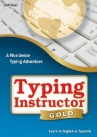 Typing Instructor Gold
$39.99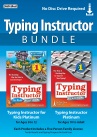 Typing Instructor Bundle
$43.98 Value Only $34.99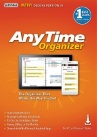 AnyTime Organizer Deluxe 16
$39.99
AnyTime Organizer Deluxe 16
$39.99
 ResumeMaker Professional Deluxe 20
$29.99
ResumeMaker Professional Deluxe 20
$29.99

Professor Teaches Provides The #1 Best-Selling Computer Training Courses
Professor Teaches helps you learn new computer skills with realistic, interactive, and complete computer training courses using easy to navigate lessons and chapters. Professor Teaches provides everything you need, and is perfect for beginning, intermediate, and advanced computer users!How Can Our Computer Training Courses Help You?
Professor Teaches computer based training courses can help in many ways. When you download one of our programs, you will get:• Several hours of interactive computer training lessons and exercises proven to increase your computer skill set.
• Realistic simulations that provide an accurate learning environment so your transition to the actual application is fast & easy.
• Training on popular computer programs including Microsoft Word, Adobe Photoshop, Intuit QuickBooks and many more with our computer
training software.
• Hundreds of learning topics & beginner through advanced subjects are included. No other computer training is more complete.
• More than just videos, you’ll interact to perform the correct action during each exercise for better learning & retention.
• Start learning right away. Download computer courses directly to
your computer!

Chapters are organized into specific learning objectives—easily available from the main menu.

Self-paced, interactive lessons let you practice in a realistic simulation of the software.

Introductions, summaries, and end-of-chapter quiz questions all reinforce learning.
No Other Computer Training Programs are as Complete!
• Practice in a realistic simulation of the software
• Hundreds of Learning Topics
• 4 to 8 Hours of Training per Course
• Realistic Simulations
• Beginner to Advanced Topics
• Self-Paced Learning Objectives
• Introductions and Summaries
• Interactive Exercises
• Professional Voice Narration
• End-of-Chapter Quiz Questions
• Checkmarks for Completed Topics
• Glossary, Index, and Search
• Professor Answers for Instant Training
• Practice in a realistic simulation of the software
• Hundreds of Learning Topics
• 4 to 8 Hours of Training per Course
• Realistic Simulations
• Beginner to Advanced Topics
• Self-Paced Learning Objectives
• Introductions and Summaries
• Interactive Exercises
• Professional Voice Narration
• End-of-Chapter Quiz Questions
• Checkmarks for Completed Topics
• Glossary, Index, and Search
• Professor Answers for Instant Training
System Requirements:
Windows® PC:
Windows 10, 8, Windows 7 • Average 150 MB hard drive space available per application • Sound card • Mouse • Speakers or headphones • Internet access for download
Windows Tablet:
Windows 10 & 8 • Average 150 MB hard drive space available per application • Internet access for download • Keyboard recommended
Windows® PC:
Windows 10, 8, Windows 7 • Average 150 MB hard drive space available per application • Sound card • Mouse • Speakers or headphones • Internet access for download
Windows Tablet:
Windows 10 & 8 • Average 150 MB hard drive space available per application • Internet access for download • Keyboard recommended


